TallySale generates professional PDF invoices that you can download or share with customers.
Downloading a PDF
- Open the invoice from My Invoices.
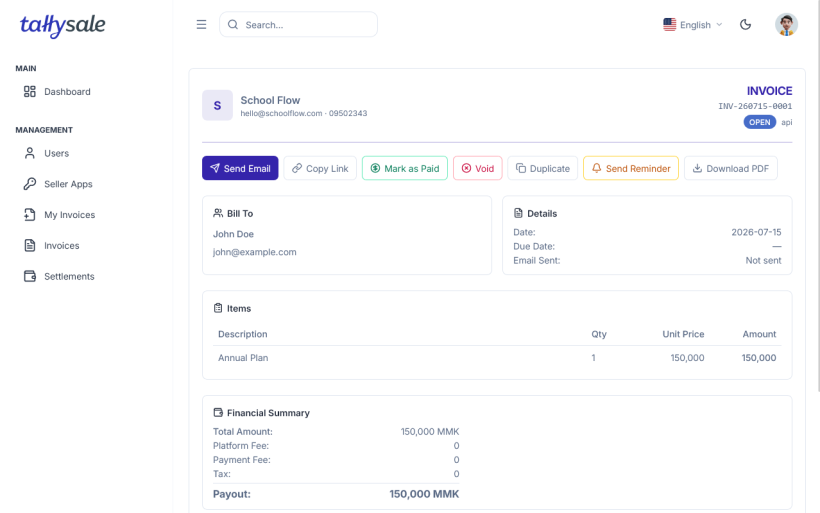
- Click the Download PDF button.
- The PDF is generated and downloaded to your device.
PDF Contents
The generated PDF includes:
- Your seller/business name and logo (if custom branding is enabled)
- Invoice number and dates (issued, due)
- Customer name, email, and address
- Line items table with descriptions, quantities, unit prices, and amounts
- Discount details (if applied)
- Total amount due
- Payment status
- Your notes to the customer
Sharing
You can share the PDF by:
- Email — use the Send function to email the invoice directly (includes checkout link)
- Download & attach — download the PDF and attach it to your own email
- Direct link — share the hosted checkout page URL with the customer
📸 Screenshot: Invoice PDF — to be added