Available on: Business and Enterprise plans
Credit notes are refund documents issued against paid invoices. They record that money has been or will be returned to the customer.
Access
From the My Invoices page, click the Credit Notes button in the toolbar to view all issued credit notes.
Issuing a Credit Note
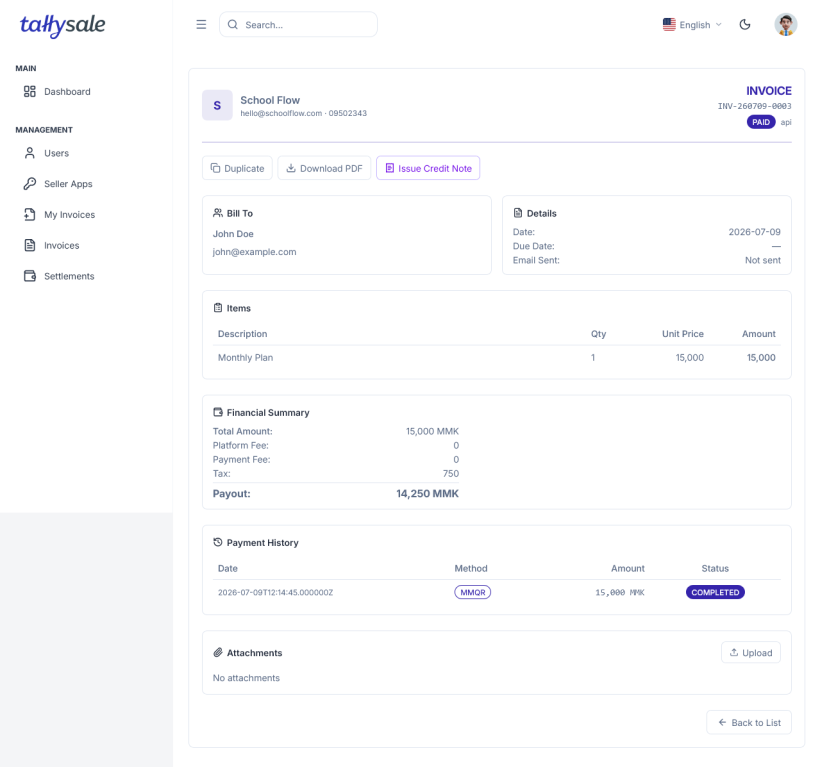
- Open a PAID invoice from My Invoices.
- Click Issue Credit Note.
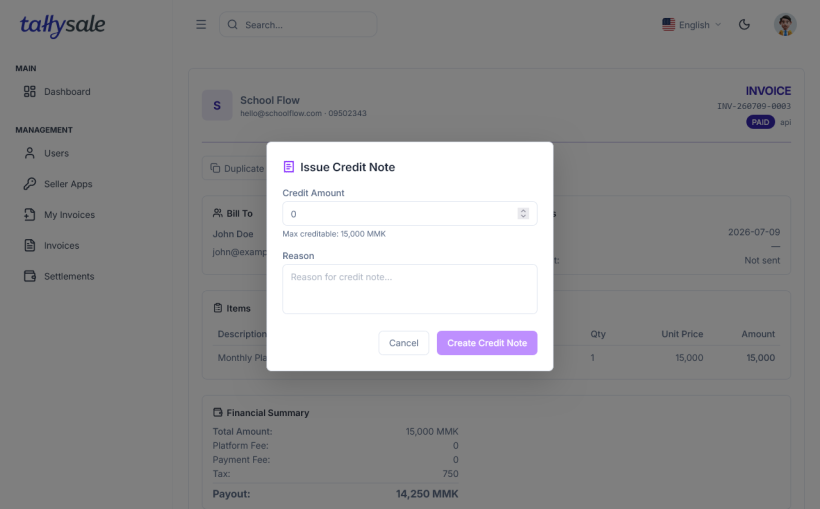
- Enter the credit note details:
| Field | Description |
|---|---|
| Amount | Refund amount (up to the full invoice amount) |
| Reason | Reason for the refund |
| Notes | Additional notes for the customer |
- Click Create. The credit note is created in DRAFT status.
- Click Issue to finalize and apply the credit note.
What Happens
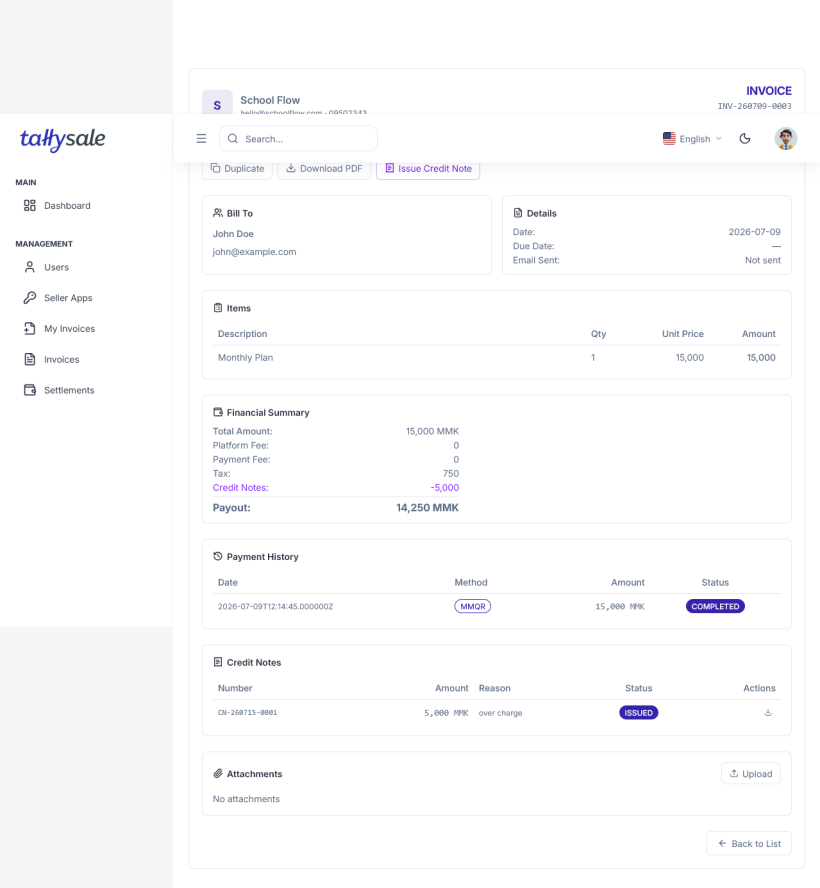
- The linked invoice status changes to REFUNDED.
- The credit note amount is recorded in your financial summary.
- Credit notes appear in the Credit Notes list with their own reference numbers.
- A credit note PDF can be downloaded for record keeping.
Credit Note List
The Credit Notes page shows:
| Column | Description |
|---|---|
| Credit Note # | Unique reference number |
| Invoice # | The original invoice this refund is linked to |
| Customer | Customer name |
| Amount | Refund amount in MMK |
| Status | DRAFT or ISSUED |
| Date | When the credit note was created |
📸 Screenshot: Credit Notes list — to be added